
How to book your first cut
Five minutes from download to a confirmed appointment. Here's the whole flow — including how home visits work.
Create your account
Sign up with your email and a password, or tap Continue with Google. Choose whether you're booking as a customer or registering a shop — you'll land in the right place.
Explore the map
Shops near you appear as pins: teal = book at the shop, amber = the barber also travels to you. Tap a pin for rating, distance and starting price — or switch to the list view, sorted by distance. Search by shop name or area, and filter to Comes to you when you want a home visit.
Pick services & where
Select one or more services — the total in MAD updates live. Then choose:
🏪 At the shop — you go to them at your chosen time.
🛵 Come to me — drop a pin on your home, add an address note ("blue door, 3rd floor"), and the travel fee is shown upfront.
Choose a time & confirm
Pick a date and an open slot. Your request goes straight to the shop, and you're notified the moment they respond. You can cancel before the appointment.
Get the cut, pay, review
Pay at the appointment — cash, or however you and the barber agree. Afterwards, leave a rating: only completed bookings can review, so every star maps to a real appointment.
- No prepayment. Booking is free; you pay the barber directly.
- Location is optional. Deny GPS and browse the map by moving it yourself.
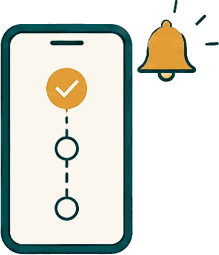
- Status timeline. Every booking shows Requested → Confirmed → Completed.
- Declined? The shop gives a reason, so you can rebook quickly.